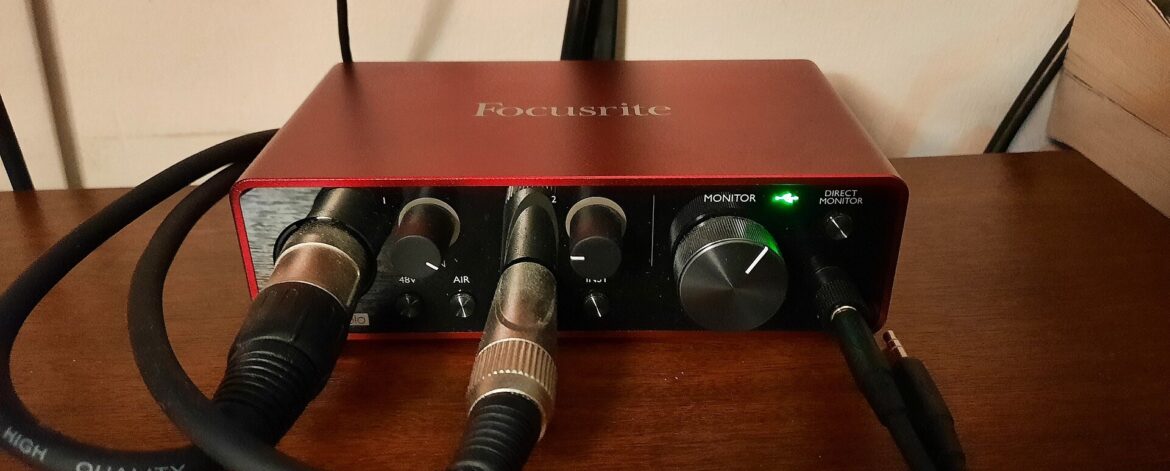
A home recording setup for guitar under A$500 needs five things: the guitar you already own, a small audio interface, a pair of closed back headphones, recording software (a DAW) and either a microphone for your amp or a free amp simulator. Using live Australian store prices checked on 26 October 2026, our sample kit comes to about A$439, and the software can cost nothing.
That is enough to record clean, usable guitar tracks. It will not make you sound like a record on day one, but it lets you hear your playing back and share ideas.
If you read my post on where a guitarist should spend their time, online or at gigs, this is the practical next step. Whether you post videos, send demos to a band or just check your timing, you need to know how to record guitar at home simply.
What a home recording setup for guitar actually needs
Strip it back and every home recording setup for guitar follows the same signal chain: guitar, interface, computer, headphones.
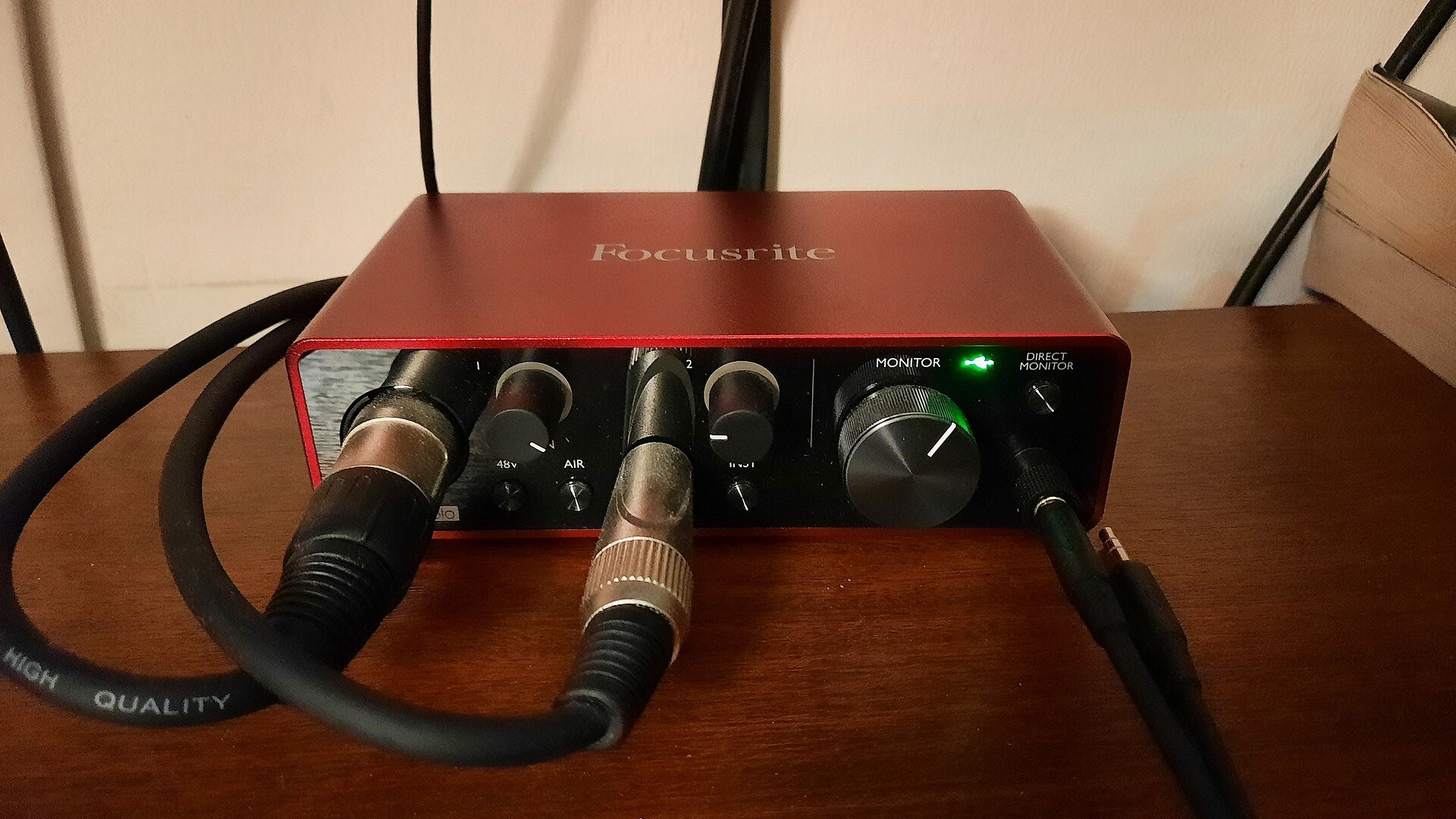
- An audio interface for guitar. This box turns your guitar or mic signal into digital audio over USB. For guitar you want a proper instrument input (often labelled Inst or Hi Z). The Focusrite Scarlett Solo has one mic preamp and one Hi Z instrument input. The Behringer UMC22 has a mic or line input plus a separate instrument input.
- Closed back headphones. They stop the click leaking into a microphone and show detail that laptop speakers hide.
- A DAW. The recording software where you arm a track, record, edit and mix.
- A sound source. Either a microphone in front of your amp, or the guitar plugged straight into the interface with an amp simulator plugin doing the amp sound.
- Leads. An instrument lead, plus an XLR lead and stand if you use a mic.
You do not need studio monitors, acoustic panels or a pile of plugins to start.

A sample A$500 budget
Here is one way to build a home recording setup for guitar for well under A$500. Prices are approximate, from Australian retailers' websites, checked 26 October 2026, and all items were showing as available that day. Prices and stock change, so check stock and the current price before you buy. We have no affiliate deals with any store. Retailer names are shown for every item, but I link only the Scarlett Solo and ATH M20x listings. The other prices come from the sites of the retailers named in each row.
| Item | Example | Retailer | Approx price |
|---|---|---|---|
| Audio interface | Focusrite Scarlett Solo 4th Gen | Turramurra Music | A$215 |
| Headphones | Audio Technica ATH M20x (closed back) | Turramurra Music | A$99 |
| Microphone | Behringer XM8500 dynamic | Turramurra Music | A$45 |
| XLR lead | Stagg 3 m XLR | Musos Corner | A$24 |
| Mic stand | Nomad Mini Boom | Turramurra Music | A$39.95 |
| Instrument lead | Stagg 3 m | Turramurra Music | A$15.95 |
| DAW and amp sim | Free options (see below) | A$0 | |
| Total | A$438.90 |
That leaves about A$61 spare for strings or a second lead, which is the right mindset for a budget home studio guitarist: basics first.
An honest note on the mic: the XM8500 is sold as a vocal mic. It is a cardioid dynamic, so it will do the job in front of a small amp while you learn, and it doubles as a vocal or podcast mic.
If you would rather have the classic amp mic, the Shure SM57 is the one Shure itself pitches for instrument amplifier miking. It was A$185 at Turramurra Music on the same day. With the Scarlett Solo, that pushes the kit to about A$579, over budget. Swap the Solo for a Behringer UMC22 (A$99 at Better Music) and the SM57 kit comes to about A$463, still under budget.
What is the best audio interface under 200 dollars?
There is no single winner. For guitar alone, any interface with a real instrument input and a headphone output will do. The UMC22 (A$99) and the M Audio M Track Solo (A$95 at Belfield Music) were both under A$200 on 26 October 2026. The Scarlett Solo was just over, from A$215. Spend the extra for better build and easier gain meters.
Mic your amp or go direct
There are two ways to get the guitar sound into your home recording setup for guitar, and most people end up using both.
Going direct (DI plus amp sim)
Plug the guitar into the instrument input and put an amp simulator on the track. The DAW records the clean signal, and the plugin turns it into an amp sound.
- Pros: quiet, so you can record at 11pm in a flat. No mic placement to learn. You can change the amp sound after you have played the part.
- Cons: it can feel less alive than a real amp, you need a low latency setting to play comfortably through the plugin, and older laptops may struggle.
Miking an amp
Put a dynamic mic close to the speaker grille, pointing at the speaker, and run it to the mic input.
- Pros: it is your real amp and pedals, and it feels like playing.
- Cons: it needs volume, the room becomes part of the sound, and the tone is fixed once recorded.
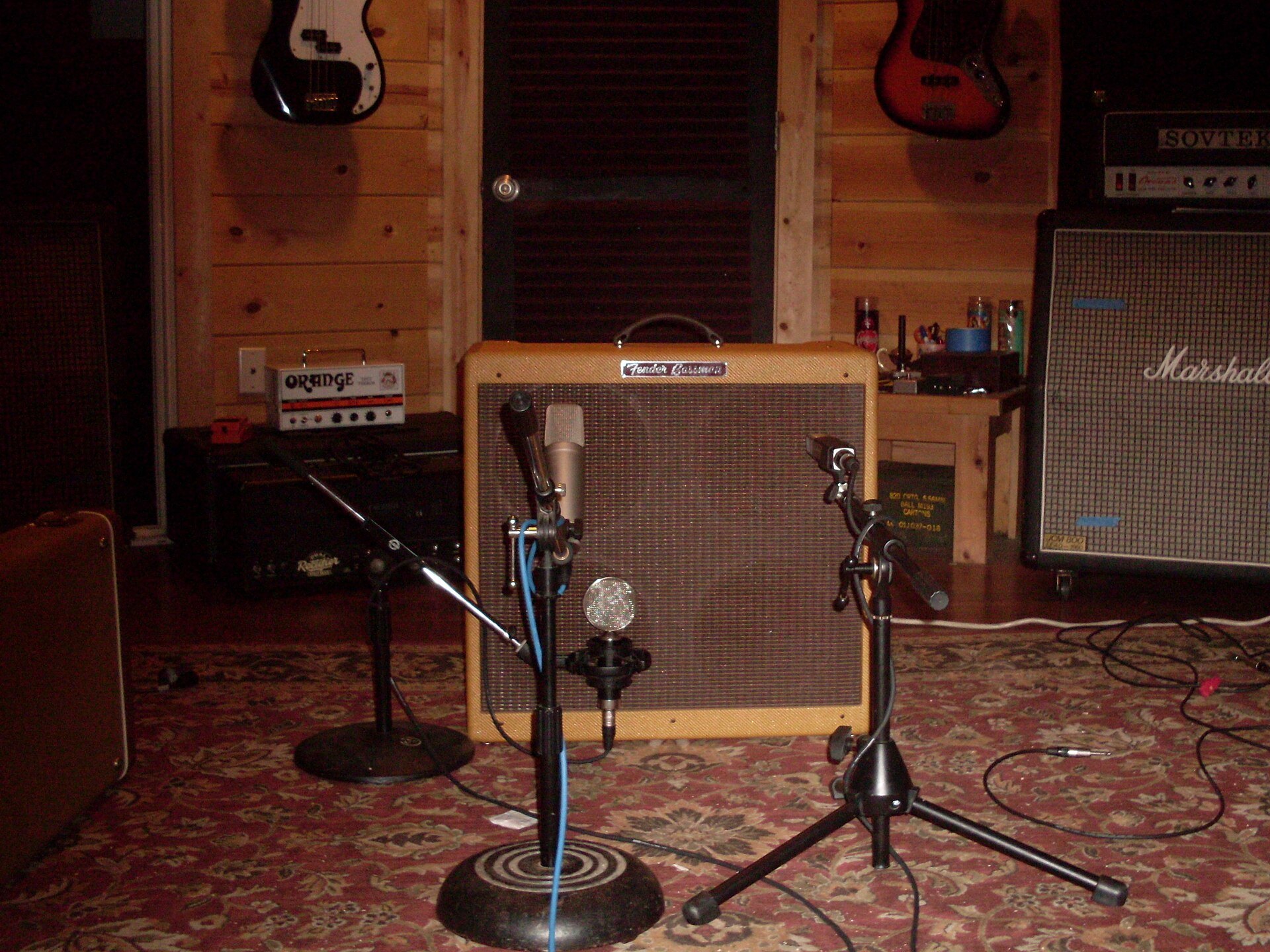
For a first home recording setup for guitar, go direct. It is cheaper, quieter and more forgiving. Add a mic when you want your real amp on a recording.
Free and cheap software
You do not need to buy software to make a home recording setup for guitar work. Here is what I could verify on the official pages on 26 October 2026.
- GarageBand (Mac). Free on the Mac App Store in Australia, and the listing says it needs macOS 15.6 or later. Apple says you can plug in your guitar and choose from built in amps and effects.
- Cakewalk (Windows). The old free Cakewalk by BandLab has been replaced. Cakewalk Sonar, which BandLab calls its next evolution, has a free core version for Windows 11, with extra features through a paid BandLab Membership.
- Reaper (Mac and Windows). Not free, but very good value. The Reaper purchase page offers 60 days of evaluation with full functionality, then a discounted licence of US$60 for personal use or small businesses (prices exclude local taxes).
- Interface bundles. Focusrite lists Ableton Live Lite, Cubase LE and Pro Tools Intro+ with the Scarlett Solo.
For free amp sims, two big names offer free versions:
- Guitar Rig 7 Player from Native Instruments is free, with two amps and matching cabinets plus 26 effects and tools.
- AmpliTube 5 CS from IK Multimedia starts free with 42 gear models, and runs on its own or as a plugin on Mac and PC.
Pick one DAW and one amp sim and learn them well.
Set up and record your first track
This is the heart of home recording for beginners. Before anything else, put on fresh strings if yours are dead, and tune carefully. A recording shows every tuning problem, so it is worth learning how to tune a guitar by ear and then checking with a tuner.
- Connect and select. Plug the interface in by USB, install any driver the maker recommends (mainly on Windows) and choose it as the audio device in your DAW.
- Set the gain. Play the loudest part you will record and turn the gain up until the meter shows a healthy level that never hits red. Focusrite puts it simply: if you are seeing red, dial back into the green. Leave headroom; you can turn it up later.
- Set the buffer size. A lower buffer means less delay but more strain on the computer. Sound On Sound suggests aiming for round trip latency under about 10 milliseconds, with 64 or 128 samples as a good compromise. If you hear clicks or crackles, raise it one step. Raise it again for mixing.
- Choose how to monitor. Direct monitoring on the interface gives you no noticeable delay but only the dry sound. Monitoring through the DAW lets you hear the amp sim. Do not use both at once, or you hear yourself twice.
- Turn on the click. Set the tempo, give yourself a one or two bar count in, and record to the click. It makes editing and adding parts far easier.
- Record, then listen. Record three takes, listen back and keep the best one. Your home recording setup for guitar is now doing its job.
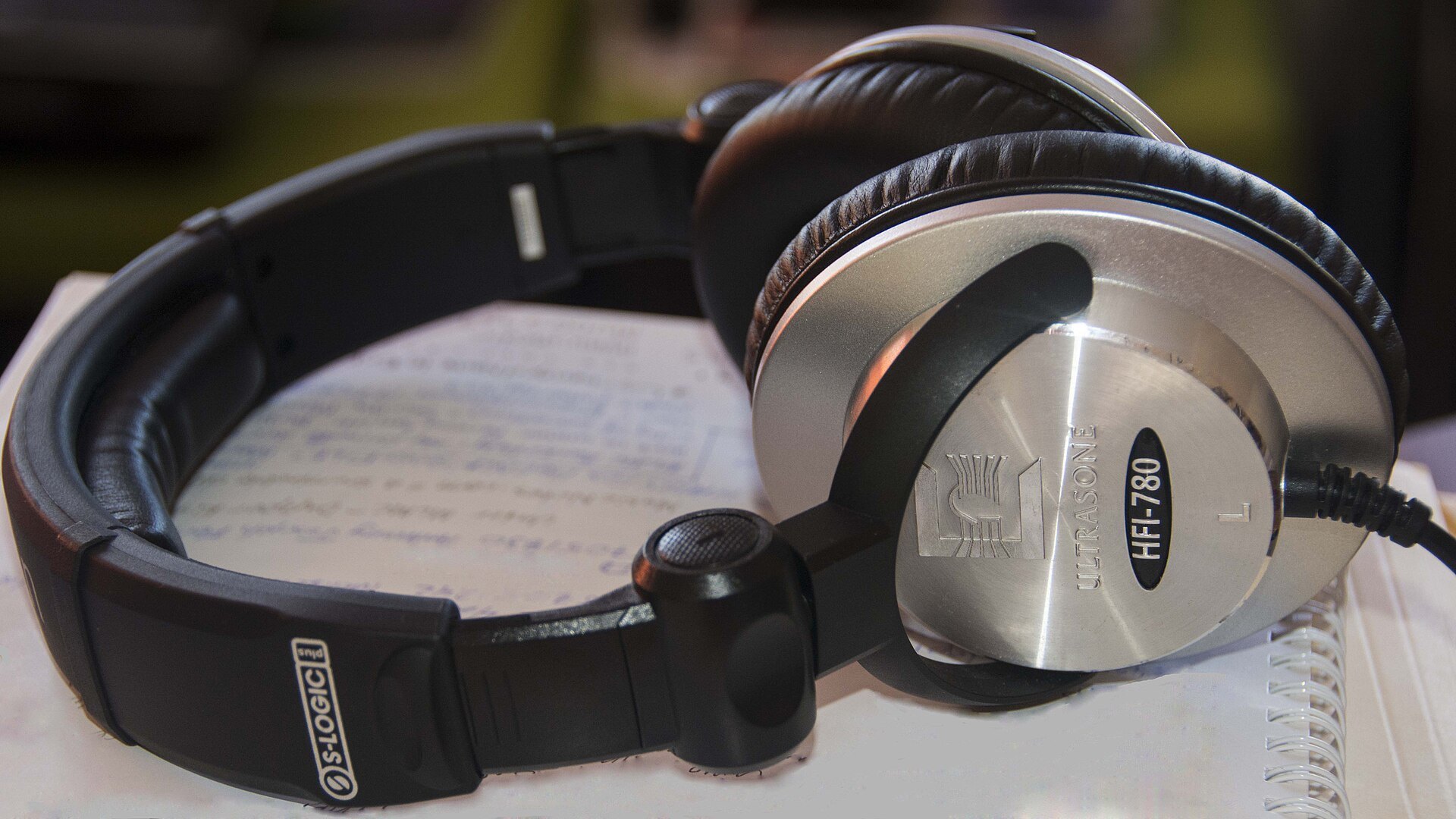
A home recording setup for guitar is also one of the best practice tools there is. If you follow a structured practice routine, record one exercise a week and compare it with last month.
Get the free one page checklist for your home recording setup for guitar, with the signal chain, the sample budget and a before you hit record list, and keep it next to your desk.
Download the free home recording signal chain and budget checklist (PDF)
Common beginner mistakes
Most problems with a new home recording setup for guitar come from a few habits.
- Clipping. Gain set too high, so peaks hit red and distort in a harsh, digital way you cannot fix later. Turn it down and record again.
- Plugging into the wrong input. A guitar in a line input sounds thin and weak. Use the instrument (Hi Z) input or switch the combo input to instrument.
- Ignoring latency. If notes feel late, your timing suffers. Lower the buffer, close other apps, or use direct monitoring.
- A bad room for the mic. Bare walls and tiles add echo. Put the mic close to the speaker, put the amp on a rug, and pick a room with a couch or curtains. Going direct avoids this.
- Over processing. Stacking too much distortion, reverb and compression makes guitars fizzy and small. Less gain usually records bigger than you expect.
Where to spend the next dollar
Once your home recording setup for guitar is working and you record often, upgrade in this order:
- A better amp mic. If you started with a budget dynamic, the SM57 is the usual next step.
- A two input interface. If you want guitar and vocal at once, or a DI and a mic together, look at a two input model. The Scarlett 2i2 4th Gen was from A$306 at Sky Music on 26 October 2026.
- A paid amp sim or DAW, once you outgrow the free ones.
- Room treatment and monitors. Speakers help less than you think in an untreated room.
Notice what is not on the list: a new guitar. A well set up guitar you know will record better than a new one.
Can you build a home recording setup under 500 dollars?
Yes. The sample kit above came to A$438.90 on 26 October 2026, and you could go lower by going direct and skipping the mic and stand.
Is a home recording setup for guitar worth it for a beginner?
If you practise regularly, yes. Playback shows timing and muting problems you miss while playing, and a basic home recording setup for guitar costs less than many single pedals and amps.
If you would like a clear, step by step start on guitar, my online beginner course is a good place to begin.