Posting covers is one of the best ways to share your playing, get feedback and build the habit of finishing songs. It also raises a fair question: are you allowed to? This guide explains guitar cover on YouTube copyright for Australian players in plain English, using only what APRA AMCOS, YouTube, Meta and the Australian Copyright Council say on their own pages. Then it gets practical, with a phone recording checklist, a quick check tool and a free cover ready PDF. In our 20 years of teaching, we have seen plenty of students record a great take and then never post it because of copyright worries, so here is what the sources actually say.
General information, not legal advice. We are guitar teachers, not lawyers. This guide summarises public information from APRA AMCOS, YouTube Help, Meta and the Australian Copyright Council, checked on 16 November 2026. Platform rules and licences change, and your situation may differ. If money, a business or a dispute is involved, get advice from a lawyer or the Australian Copyright Council.
Quick answer
For a personal, non monetised video of you playing someone else’s song on YouTube, TikTok, Facebook or Instagram, APRA AMCOS says a licence is already in place for cover versions synchronised with images on those services, for personal and non commercial purposes only. That licence is about the song. It is not permission to use the original recording, so play or record everything yourself. Videos for commercial use need synchronisation permission from the publisher first. A Content ID claim is a common outcome on YouTube, and YouTube says a claim is not a strike.
Guitar cover on YouTube copyright: can you post one in Australia?
Usually, yes, as long as you understand which part is covered. Every cover video has two separate copyrights in it. The first is the song itself, the musical work: the melody, chords and lyrics, owned by the writers and their music publishers. The second is the sound recording, often called the master, which is a particular recorded performance of the song. The Australian Copyright Council says commercially released sound recordings are usually owned by the record company.
When you film yourself playing the song, you are making your own new recording. The Council says you will generally own the copyright in sound recordings you create yourself, and that other performers on the recording also own a share unless you agreed otherwise. So if you play every note, the master is yours. The song still belongs to its writers, and that is where licences come in.
One myth to drop early: “it is not for profit, so it is fine.” The Australian Copyright Council says there is no general exception for non commercial use of copyright material in your videos, although some types of use may be covered by fair dealing. Being unpaid does not make a use automatically legal. What makes most personal covers fine is the licence described below.
What APRA AMCOS and the platforms actually licence (and what they do not)
Here is what each source says, in our words, with the practical meaning for a guitarist. We have only included points the sources state; where they do not say something, we have not filled the gap.
| Source | What it says | What it means for you |
| APRA AMCOS, Cover versions | A licence is in place that allows cover versions to be synchronised with images on services offering user generated material, such as YouTube, TikTok, Facebook and Instagram, but only for personal and non commercial purposes. | A personal cover video on those services is the situation this licence describes. |
| APRA AMCOS, Cover versions | If your cover video is for commercial use, first get permission to synchronise the music with images from the copyright owners or their publishers. APRA AMCOS has a work search to find them. | Ads, sponsored posts and business promotion need a publisher’s permission before you post. |
| APRA AMCOS, What is Sync | Synchronisation has two sides, the musical work and the sound recording, and permission is needed for both. APRA AMCOS does not issue sync licences. | Sync deals are made directly with publishers and record labels. |
| APRA AMCOS, Cover versions (audio) | Services such as Spotify, Apple Music and Amazon are licensed directly by AMCOS in Australia and New Zealand, so you do not need a licence to release a cover there, even to make money. An unlicensed platform such as your own website needs a licence. | An audio release is a different path, usually through a digital aggregator. Your own website is not covered by the platform licences. |
| Australian Copyright Council, Video Uploads and Copyright | You generally own sound recordings you create yourself. Commercially released recordings are usually owned by the record company. Performers have rights in recordings of their performances. | Play the whole thing yourself, and ask any friends on the video before you post. |
| YouTube Help, Copyright claims | A Content ID claim can block, monetise or track a video, and the action can differ by country. Claims are different from copyright strikes. | A claim on a cover is common and is not a penalty on your channel. |
| Meta, Music Guidelines | You remain responsible for the music you post. Commercial or non personal use of music is prohibited unless you have the right licences. Music may be blocked, muted or removed, and may not be available in every country. | Facebook and Instagram can still restrict a cover, and a business page promoting itself with a cover is outside personal use. |
What none of these sources say is just as important. None of them says a platform licence lets you use the original recording, a karaoke track or a backing track somebody else made. None promises that a cover will stay up, because the rights owner decides what happens to a claimed video.
The APRA AMCOS pages are also not worded identically: its online music licences page, which is written for businesses, says synchronisation clearance is required for all videos containing music uploaded to sites like YouTube, Vimeo or Facebook. Read together, the safest summary of guitar cover on YouTube copyright is this: personal covers on the named platforms are what the licence describes, and anything commercial needs the publisher’s permission first.
Monetising, sync and the “this needs more than a platform licence” line
Monetising is where the guitar cover on YouTube copyright picture gets less tidy. YouTube Help says creators in the YouTube Partner Program can share revenue from eligible cover song videos once the music publishers claim them through Content ID. You are paid on a pro rata basis, and an eligible video shows a “Sharing ad earnings” notice. You then switch monetisation on for that video. Meta says that being eligible for its Music Revenue Sharing does not by itself make a video commercial.
APRA AMCOS, though, describes its covers licence as personal and non commercial only. The sources do not spell out exactly where platform revenue sharing sits against that line, so we will not pretend they do. If you plan to earn from covers, use the platform’s own revenue sharing as described above, and ask the publisher if you are unsure. Our guide to ways to make money as a guitarist covers income that does not depend on other people’s songs.
Some uses clearly need more than a platform licence, based on the sources above:
- A cover in an ad, a sponsored post, or a video promoting a business, venue or paid gig: get sync permission from the publisher first.
- Any video where the original recording can be heard: you need the record label’s permission for the master as well.
- A backing track someone else made: check its licence terms for online video use.
- A cover video on your own website: it is not one of the user generated content services the licence names, so contact APRA AMCOS and the publisher.
- Posting the full audio as a music listening experience on Facebook or Instagram: Meta says this may be blocked and the page or profile deleted.
How Content ID claims work on covers
APRA AMCOS describes Content ID as YouTube’s system to scan and identify copyright material. It explains that its audio and video fingerprinting is far more accurate at identifying sound recordings than covers, and that melody recognition for covers is less advanced and often cannot identify them. Copyright owners can still claim a cover manually. In practice, a cover you played yourself may get a claim, or none at all; a video with the original track playing is much more likely to be matched.
If you are claimed, YouTube says the owner can monetise, track or block the video, and the action can differ by country. For Shorts, YouTube says new vertical videos of 1 to 3 minutes are classed as Shorts, and Shorts over one minute with an active claim are blocked, whatever the claim policy. A claim does not give you a copyright strike. Only dispute a claim if you believe it was made in error, for example on your own original song.
Try it: can I post this cover?
Use the quick check below to sort your video into the situations the sources describe. It only knows what you tell it, and it is general information, not legal advice.
Can I post this? Cover check
Answer four questions about your video. The check sorts it into the situations the APRA AMCOS, Australian Copyright Council, YouTube and Meta pages describe, and tells you what to check next. It is general information, not legal advice, and it cannot see the details of your song or your deal.
How to record a guitar cover on your phone
Getting the guitar cover on YouTube copyright side right is half the job; the other half is a take people want to watch. You do not need a studio to post a cover that sounds good. Most of the difference between a rough phone video and a clean one comes from four things: where the phone sits, what is in the frame, how loud you play into it, and a quick test take. If you later want to go beyond the phone, our guide to a home recording setup for guitar covers interfaces and microphones.
1. Placement
- Put the phone on a stand or tripod, not in someone’s hand, and switch on aeroplane mode or do not disturb so a call or notification does not ruin the take.
- For an acoustic, start with the phone about an arm’s length away, pointing between the soundhole and where the neck meets the body. Too close and the bass gets boomy; too far and the room takes over.
- For an electric, put the phone near the amp speaker or use a headphone output into a recording app, and keep the amp at a moderate volume.
- Pick the quietest room you have. Soft furnishings such as a couch, rug and curtains reduce echo. Turn off fans and air conditioning for the take if you can; in a Darwin build up, keep takes short.
2. Framing
- Decide on orientation first. Landscape suits YouTube videos. On YouTube, a vertical video of 1 to 3 minutes is classed as a Short, which matters if it gets a claim.
- Get both hands in the shot. Viewers who play want to see your chord shapes and your strumming or picking hand.
- Light your face and the fretboard from the front, for example facing a window. A bright window behind you turns you into a silhouette.
- Clear the background and check it for anything you would not want online, such as mail with your address.
3. Levels
- Play the loudest part of the song, such as a big chorus strum, as your test. If the recording crackles or flattens, move the phone back or play a little softer.
- Phones adjust recording volume automatically in many camera apps, which can make quiet intros sound noisy. If your camera or recording app lets you set the input level by hand, set it once and leave it.
- If you sing, sing toward the phone at a steady distance and check your voice is not burying the guitar, or the other way around.
4. Test take
- Tune first, then record 30 seconds that include the quietest and loudest parts.
- Play it back on headphones, not the phone speaker. Listen for clipping, room echo, buzzes and background noise.
- Watch it once with the sound off to check framing and light, then do your real takes. Three full takes usually gives you one you are happy with.
Playing to a lens feels different from playing to a room. Our post on playing live versus playing in front of the camera covers the nerves and energy side, and our tips on how to prepare for a recording session apply to a phone take too.
The cover ready checklist and upload log
The free PDF puts all of this on two printable pages. Page 1 is the cover ready checklist: a rights check that turns the guitar cover on YouTube copyright points above into six questions (whose song, what can be heard, where it goes, what it is for, who else is in the video) and the phone setup steps above. Page 2 is an upload log for each cover: date, song and writer, platform, audio source, purpose, link, and what happened with any claim. A log makes it easy to see which covers were claimed and how, which is useful if you ever need to check or dispute something.
Download the free Cover Ready Checklist and Upload Log (PDF)
If you are weighing up where to spend your energy, our post on being a guitarist online versus playing gigs may help you decide how much time covers deserve.
FAQ
Is this legal advice?
No. This is general information, not legal advice. It summarises what APRA AMCOS, YouTube, Meta and the Australian Copyright Council say on their public pages, checked on 16 November 2026. For advice on your situation, talk to a lawyer or the Australian Copyright Council, especially if money or a business is involved.
Do I need permission to post a guitar cover on YouTube?
For a personal, non commercial video, APRA AMCOS says a licence already allows cover versions to be synchronised with images on user generated content services such as YouTube. That is the guitar cover on YouTube copyright answer most hobby players need. For commercial use, APRA AMCOS says to get synchronisation permission from the copyright owners or publishers first.
Can I play along with a backing track or the original recording?
The licence APRA AMCOS describes is for cover versions, which means your own performance of the song. The original recording is usually owned by the record company, according to the Australian Copyright Council, and APRA AMCOS says sync needs permission for the sound recording as well as the song. For a backing track someone else made, read its licence terms for online video before you use it.
My cover got a Content ID claim. Am I in trouble?
Not usually. YouTube says claims are different from copyright strikes. The rights owner can block, monetise or track your video, and the result can differ by country. Shorts over one minute with an active claim are blocked. Only dispute a claim if you believe it was made in error.
Can I make money from my guitar covers?
YouTube says members of the YouTube Partner Program can share ad revenue from eligible cover videos once the publisher claims them through Content ID, paid pro rata. Meta says Music Revenue Sharing eligibility does not by itself make a video commercial. APRA AMCOS describes its covers licence as personal and non commercial only, so for anything beyond platform revenue sharing, ask the publisher. That is where guitar cover on YouTube copyright stops being simple.
Can I put my cover on my own website?
APRA AMCOS calls your own website an unlicensed platform when it talks about releasing covers online, and its covers licence names user generated content services such as YouTube, TikTok, Facebook and Instagram. Contact APRA AMCOS and the publisher before posting a cover video on your own site.
Do I need permission to play covers at a gig?
APRA AMCOS says you do not need to ask the copyright owners, because the licence held by live music venues or promoters covers you. It asks you to list covers on the set list in your performance report so the writers are paid.
Post your first cover with confidence
Most guitar cover on YouTube copyright worries come down to three habits: play every note yourself, keep personal covers personal, and get the publisher’s permission before anything commercial. Then put your energy into the take. If you would like help getting a song video ready, we offer guitar lessons in Darwin, and if you are just starting, our online beginner course builds the chords and strumming that most covers need, at your own pace.
Sources
- APRA AMCOS. Cover versions (playing live, online release, video, and Content ID FAQ). APRA AMCOS
- APRA AMCOS. What is sync. APRA AMCOS
- APRA AMCOS. Online music licences. APRA AMCOS
- Australian Copyright Council. Video Uploads and Copyright, fact sheet INFO117 (2023). Australian Copyright Council
- YouTube Help. Monetizing eligible cover videos. YouTube Help
- YouTube Help. Using Content ID claims (claims, Shorts and strikes). YouTube Help
- Meta. Music Guidelines (effective 26 March 2024). Meta
All sources checked on 16 November 2026. This guide is independent and not endorsed by APRA AMCOS, YouTube, Meta or the Australian Copyright Council.
Image credits
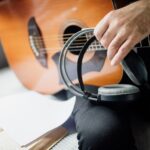
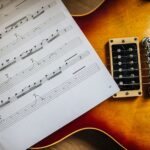
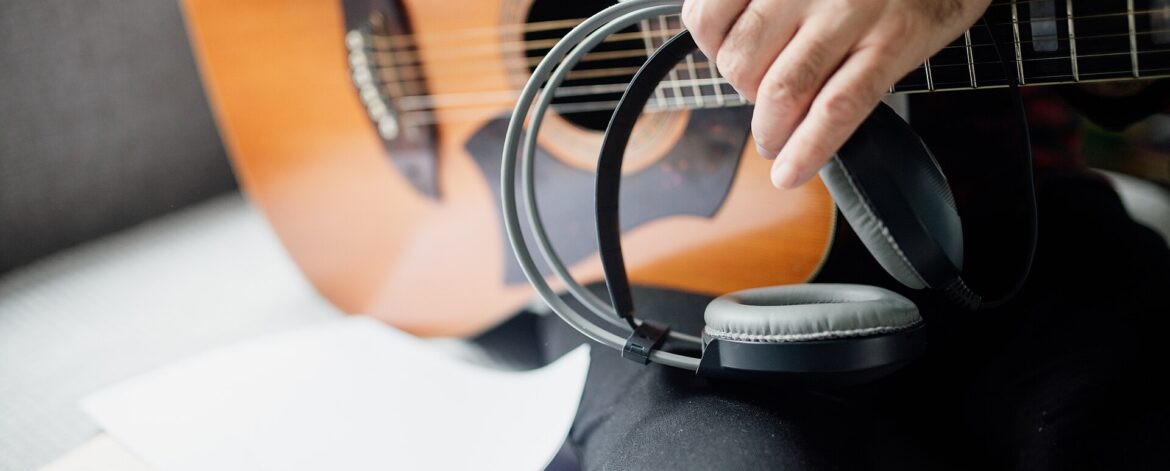
Person holds headphones while playing acoustic guitar and has sheet music on the table at home, by Shixart1985, Wikimedia Commons, CC BY 2.0. Checklist preview by Maxim’s Guitar Workshop.