A looper pedal records what you play and plays it straight back, over and over, so you can play on top of yourself. Most people buy one for jams and gigs, but it is just as useful as a practice partner that never gets tired. These looper pedal practice exercises turn it into a timing and lead trainer, in a 10 step ladder with tempo boxes you can print. In our 20 years of teaching, we have found a looper shows students their timing faster than almost any other tool.
Quick answer
Start with a one bar loop of a single chord and practise until you cannot hear where the loop joins. Then build up: two and four bar progressions, playing in unison with your own loop, off beat chops, a bass line with chords on top, layered riffs, and finally lead work over your own loop. Use the same slow tempo until each step is clean three times in a row, then speed up by about 5 percent.
Why a looper is a practice tool, not just a gig toy
A loop is honest. If you rush the last beat of a bar, you hear that hiccup every time the loop comes round. If your chord change is late, it is late forever. That instant, repeating feedback is what makes looper pedal practice exercises so effective for timing, and it costs nothing more than the pedal you may already own.
There is also a reason playing with yourself feels natural. Peter Keller, Günther Knoblich and Bruno Repp had pianists record one part of several piano duets, then later play the other part along with recordings of themselves or of other pianists. They synchronised better with their own recordings, and they could recognise which recordings were theirs (Keller, Knoblich and Repp, 2007).
That cuts both ways, and we want to be honest about it. Your own loop is a friendly first partner, which makes it a great place to learn to lock in. But it also shares your habits, so it will not challenge you the way a drummer or another player will. We are not aware of any study that tests looper practice directly. Use these looper pedal exercises alongside drum loops and recordings, not instead of them.
Setup in one minute (levels, a one bar loop you can trust)
- Clean sound first. A clean or lightly driven tone shows timing problems best. Save heavy gain and effects for later steps.
- Loop level a little lower than your live guitar. Most loopers have a level knob for this. You want to hear yourself on top of the loop.
- Count in with your foot. Tap a full bar before you press record, and press on beat 1 as your foot lands.
- Close the loop on the next beat 1. Press again exactly when the bar after your last bar would start. Listen to the join: no gap, no bump.
- Use undo or clear freely. A loop you do not trust is worse than no loop. The TC Electronic Ditto Looper puts undo and redo on a press and hold of its single footswitch, and the Boss RC 1 also has undo and redo, with a circular light that shows where you are in the loop.
- A built in rhythm helps, but is optional. The Boss RC 5 has 57 rhythm patterns and can start recording in time with the rhythm. Any basic looper works for every exercise here.
Simple pedals like the Ditto and the RC 1 do not show a tempo, which makes the tempo boxes on the worksheet tricky to fill in. The calculator below solves that for all your looper pedal practice exercises: tap along with your loop to read its tempo, or time the loop and let it work out the beats per minute.
Loop tempo and length calculator
Most simple loopers do not show a tempo. Use this to fill in the tempo boxes on the worksheet: tap along with your loop, or time it, and it works out the beats per minute. Or set a tempo first and see how long your loop will be.
|
1. Tap along with your loop Tap on every beat (each foot tap) for at least four taps. Stop for three seconds to start again. Tap to start
|
2. Loop settings Beats per bar Bars in loop Tempo bpm or loop length seconds |
Tip for timing a loop: time ten repeats with a stopwatch and divide by ten. That is far more accurate than timing one. The calculator runs in your browser and saves nothing.
The 10 step ladder (timing first, then lead)
Here are the ten looper pedal practice exercises in order. Steps 1 to 6 build timing and rhythm, and steps 7 to 10 move into riffs and lead playing. Our suggested starting tempos are deliberately slow. Stay on a step until you can play three clean rounds of about a minute each, then raise the tempo by about 5 percent or move to the next step. Use the self check on each step to decide honestly.
- One bar, one chord. Record one bar of G with four down strums at about 70 bpm. Play along with it. Self check: you cannot hear where the loop joins, and you stay with it for eight rounds without drifting.
- Two bar strum loop. Record G for one bar and C for one bar, strumming eighth notes down and up. Self check: both changes land exactly on beat 1, including the one at the loop join.
- Four bar progression. Record G, D, Em and C, one bar each. Time ten repeats with a stopwatch and check the tempo in the calculator. Self check: the tempo matches what you meant to play, within a few bpm.
- Lock in unison. Play exactly the same part again over the loop. Self check: it sounds like one bigger guitar, not two guitars flamming against each other.
- Off beat chops. Over the four bar loop, play short, muted chords only on the “and” of each beat, like a reggae or ska rhythm part. Self check: every chop sits halfway between two strums of the loop.
- Bass line plus chords. Clear the loop. Record a simple bass line on the low strings, one root note per beat, then overdub the chords on top. Self check: bass and chords change together, and the overdub does not drift at the join.
- Riff layering. Record a one or two bar riff, then add a second riff, an octave or a harmony part. If a layer goes wrong, undo it and try again. Our guide on how to write a metal riff has ideas for riffs to loop. Self check: every layer lines up at the join.
- Target notes. Over the G, D, Em, C loop, play one note per bar: the root of each chord on beat 1. Then try the third of each chord. Self check: you land on the new note exactly as the chord changes.
- Call and response. Improvise for two bars, then rest for two bars, using the E minor pentatonic scale over the same loop. Self check: you start and stop on time, and you count the rests rather than guess them.
- Three minute solo, recorded. Build a two layer loop, then solo over it for three minutes while recording on your phone. Self check: listen back and mark the spots where you rushed, dragged or lost the form.
These looper pedal practice exercises work in order because each one adds one new demand. If a step falls apart, drop back one step or slow down by 10 percent. That is not failing; it is exactly how the ladder is meant to be used.
The free worksheet turns these looper pedal practice exercises into a printable plan. It has all ten steps with a starting tempo box, a solid tempo box, three practice day ticks and the self check line, plus a loop log for recording what you tried.
Download the free Looper Exercise Ladder (PDF)
How this sits next to drum loops and a metronome
Each tool trains something different. A drum loop gives you an outside groove to lock into, and our guide to practise guitar with drum loops covers that in detail. A looper gives you back your own time feel, so it shows how steady you really are. Foot tapping trains your inner clock, and we explain why we do not lean on a metronome when practising guitar.
A good week mixes all three. Warm up with foot tapping, do two or three looper pedal practice exercises from the ladder, then finish by playing the same part over a drum loop to check that your timing holds against an outside groove. If you want to record your loops and solos properly, our home recording setup for guitar under $500 guide covers the gear.
Planning to take your looper to the street? A looper needs an amp, and council rules on amps vary a lot, so check our busking permit guide first.
FAQ
Do I need an expensive looper for these looper pedal practice exercises?
No. A basic pedal does everything here. For example, the TC Electronic Ditto Looper offers 5 minutes of loop time with unlimited overdubs, and the Boss RC 1 records up to about 12 minutes. Features like built in rhythms are nice to have, not essential.
What tempo should I start at?
Slower than you think, around 60 to 80 bpm for most players. Speed comes from clean repetitions, not from starting fast. Raise the tempo by about 5 percent only after three clean rounds.
Why does my loop have a gap or a bump where it repeats?
You pressed the footswitch slightly early or late. Count a full bar in with your foot, press as beat 1 lands, and close the loop on the next beat 1. Undo and try again until the join disappears. It is a skill in itself, and step 1 of the ladder trains it.
Can I do guitar looper practice with an app instead of a pedal?
Yes. The exercises work with any looper, including a looping app or the loop recording in recording software. A pedal is simply quicker to work with your feet while both hands stay on the guitar.
Will practising with my own loop make my timing worse?
Not if you mix it with other references. Because your loop shares your habits, it will not correct a tendency to rush. Check your timing against drum loops and recordings, and other players when you can.
Make the loop your practice partner
Looper pedal practice exercises are a simple way to make practice sound like music. Start with a one bar loop you can trust, climb the ladder one step at a time, and keep notes of your tempos so you can see real progress over the weeks.
If you are still building the chords and strumming these exercises use, our online beginner course takes you through them at your own pace.
Sources
- Keller, P. E., Knoblich, G. and Repp, B. H. (2007). Pianists duet better when they play with themselves: on the possible role of action simulation in synchronization. Consciousness and Cognition, 16(1), 102 to 111. DOI link
- TC Electronic Ditto Looper product page (5 minute loop time, unlimited overdubs, undo and redo by press and hold, loop level knob). TC Electronic
- Boss RC 1 Loop Station product page and owner’s manual (about 12 minutes of stereo recording, circular loop indicator, undo and redo). Boss
- Boss RC 5 Loop Station product page and reference manual (57 rhythm patterns with A and B variations, rhythm start options). Boss
Product features checked on the makers’ pages on 16 November 2026.
Image credits
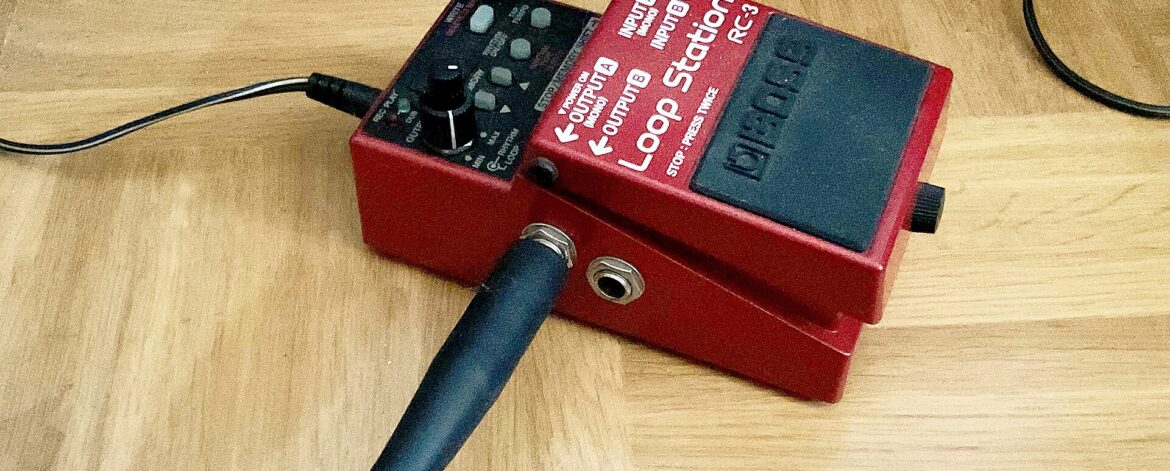
Boss RC 3 looper pedal by Auge=mit, Wikimedia Commons, CC BY SA 3.0. Boss RC 1 Loop Station by Kuriosatempel, Wikimedia Commons, CC BY SA 4.0. Worksheet preview by Maxim’s Guitar Workshop.